Running a legitimate home-based business
Running a business from home cuts costs and gives you flexibility, but it's still a business, with the same registrations and rules as any other. Here's how to set it up properly, look after yourself and your data, and steer clear of "opportunities" that are really scams.
In short
- A home-based business needs the same registrations as any other business, and may also need council approval and, if you rent, your landlord's OK.
- Tell your home insurer you run a business from home; standard home policies often don't cover business activity.
- Set up a proper workspace, set work hours and take breaks. Your health is the business's most important asset.
- Secure your home network like a business network. Change the router defaults, keep it updated and use a separate guest Wi-Fi.
- Any "opportunity" that asks you to pay first, or pays you for recruiting people, is a warning sign. Pyramid schemes are illegal in Australia.
What counts as a home-based business
A home-based business is one where your home is also your principal place of business: the main place you run it from. Common examples include:
- freelancing and consulting (design, writing, bookkeeping, IT, marketing)
- online selling and handmade goods
- tutoring, coaching and virtual assistance
- pet grooming, sitting or walking
- home cooking, catering or beauty services (these usually need extra approvals)
If you’re still choosing what to do, see Small business ideas that work in Australia and Online business models that are legitimate.
Step 1: Get the basics right
Working from home doesn’t change your registrations. Most businesses need:
- An ABN (Australian Business Number) and, depending on your structure, a registered business name or company.
- Any tax registrations that apply to you. The ATO and your accountant can tell you which.
- Licences or permits for your industry. Search the Australian Business Licence and Information Service (ABLIS) on business.gov.au to find them.
See Registering a business for the order to do it in.
Step 2: Check council, landlord and strata rules
Council. Depending on what you do, you may need approval from your local council. business.gov.au lists the usual triggers:
- clients or suppliers visiting regularly, adding traffic and parking
- people who don’t live with you working from your home (generally more than two)
- signs outside your home
- changes to your home for the business
- noise, fumes or vibration that could disturb neighbours
- a lot of waste, or high water, electricity or gas use
- activities with health and safety risks, such as food preparation or childcare.
Rules differ between councils, so call or email your council before you start and describe what you’ll actually be doing. Keep their answer in writing.
Renting. Many residential leases say tenants can’t run a business from the property. Tell your landlord and ask for written agreement. They’ll also want to check it doesn’t affect their own insurance.
Strata. If you live in an apartment or townhouse, check the strata by-laws too, especially if clients will visit.
Step 3: Sort out insurance (and ask about tax)
Two things to check with the right professionals rather than guess:
- Insurance. Standard home and contents policies often don’t cover business activities or business equipment. Tell your home insurer you’re running a business from home, and ask what’s covered. If clients visit, ask about cover for that too. See business.gov.au’s guide to types of business insurance. This is general information, not insurance advice. This guide doesn’t recommend any insurer or policy. For advice on the cover you need, talk to your insurer or a licensed insurance broker.
- Tax. Using part of your home for business can affect what you can claim, and can have consequences when you sell your home. The rules depend on your structure and how you use the space. Read the ATO’s guidance on home-based business expenses and talk to a registered tax agent before you claim anything.
Step 4: Set up a workspace that won’t hurt you
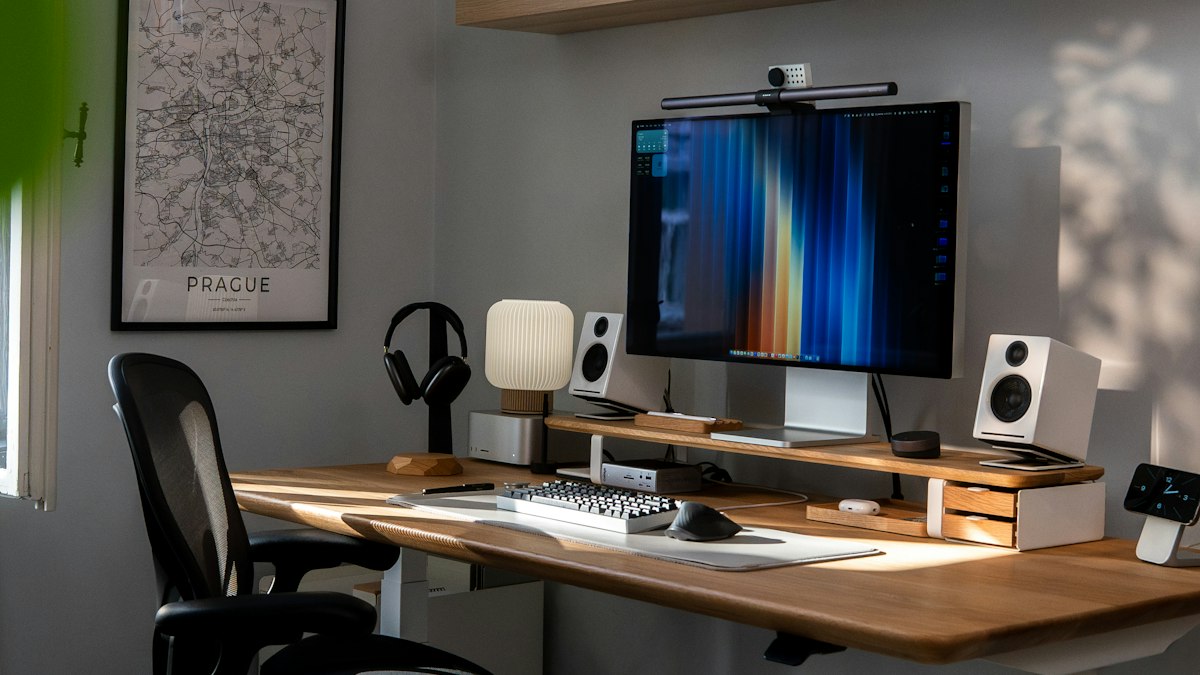
Long hours hunched over a laptop at the kitchen table catch up with you. Safe Work Australia’s workstation guidance covers the basics:
- Screen at or just below eye level, about an arm’s length away. On a laptop, raise it on a stand and use a separate keyboard and mouse.
- Chair that supports your lower back, with your feet flat on the floor or a footrest.
- Desk that’s stable and large enough for the work you actually do.
- Light that suits the task, without glare on the screen.
- Cables and power boards out of walkways, and not overloaded.
If you employ people who work from your home, or from theirs, you have work health and safety duties to them. See Workplace health and safety.
Step 5: Protect your time and your health
The hardest part of a home business is often stopping work. business.gov.au suggests:
- A dedicated work space, ideally a room with a door you can close.
- Set working hours on weekdays, and tell family and clients what they are.
- No work in personal spaces: no laptop in bed or on the couch.
- Regular breaks, including time away from the screen and outside.
- Holidays planned in advance, with an out-of-office message.
- Email off before and after hours.
A simple rule: if you’d expect an employee to take a lunch break and go home at a sensible time, give yourself the same. Burnout is one of the most common reasons small businesses stall. See Productivity, stress and avoiding burnout, and business.gov.au’s mental health support page for business owners.
Consider a separate postal address. A PO box or mail service keeps your home address off invoices, your website and online listings.
Step 6: Secure your home network
Your home Wi-Fi now carries your customers’ details, your invoices and your bank logins. Criminals know home networks are often the weakest point. The Australian Signals Directorate’s cyber.gov.au advice for small businesses includes:
- Change the router’s default admin password and the default Wi-Fi name and password. Default logins are often published online.
- Update the router’s firmware, and turn on automatic updates if it has them. If your router no longer gets updates from the manufacturer, replace it.
- Use the strongest Wi-Fi encryption your router offers.
- Turn on guest Wi-Fi for visitors, kids’ devices and smart-home gadgets, so they’re kept apart from your work devices.
- Turn on multi-factor authentication for email, banking and accounting software.
- Back up your business data automatically, with a copy stored away from your home.
- Keep work and family devices separate where you can. A shared laptop is a shared risk.
See Cyber security and backups for small business for a full checklist.
Spotting “work from home” scams
Search for “work from home” and you’ll find plenty of “opportunities”. Many are scams. Scamwatch’s warning signs include:
- You’re contacted out of the blue, often by text or on WhatsApp, Signal or Telegram.
- High income for little effort, with no experience needed.
- Hiring is instant, with no interview or reference checks.
- You must pay first: a “recruitment fee”, training materials, a starter kit, or topping up an account to unlock tasks.
- The job involves moving money or receiving parcels for someone else. This can make you part of a money-laundering operation.
Pyramid schemes and multi-level marketing
It’s illegal in Australia to take part in, or persuade someone to join, a pyramid scheme. The ACCC describes the difference:
| Pyramid scheme | Multi-level marketing (MLM) | |
|---|---|---|
| Where the money comes from | Mainly from recruiting new people, who pay to join | Selling a genuine product or service to real customers |
| The product | Often a token product, or overpriced | Has real value to customers outside the scheme |
| Who benefits | A small number of people at the top | Depends on sales; many participants still earn little |
| Legal? | No | Yes, if it isn’t a pyramid scheme in disguise |
Before joining any MLM, ask for its income figures in writing, work out how many products you’d need to sell to cover your costs, and talk to someone independent first.
If you think you’ve been scammed, contact your bank straight away, then report it to Scamwatch. IDCARE offers free support if your identity details have been stolen.